Remote support for Windows PCs · Free
Remote support, on the record.
Reach a Windows PC by its nine-digit number. You get in when the person there says yes, or with that PC's password, and the PC keeps a record of the session. Free to use.
Windows · 28.7 MB · version 0.6.2, 8 November 2026 · no form, no account · On a phone? Open Nelkira Go →
Facts you can check
- Record
- On the PC that was reached; names and sizes, never contents
- Price
- Personal use is always free. Commercial use is free today; this policy may change later. Pricing →
- Found a security problem?
- How to report it →
One session, start to finish
Type nine digits. You’re at their desk.
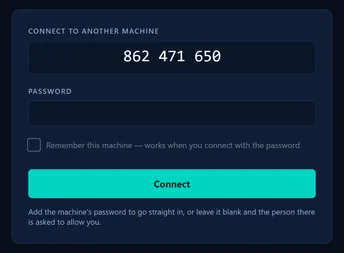
The helper types the PC's number. With no password, the person there is asked.Real Nelkira 0.6.0 (test build of the release source), the main window, 31 October 2026. Step 1Type the PC’s nine-digit number.
The PC you reach shows its number and a password. The person there reads them to you.
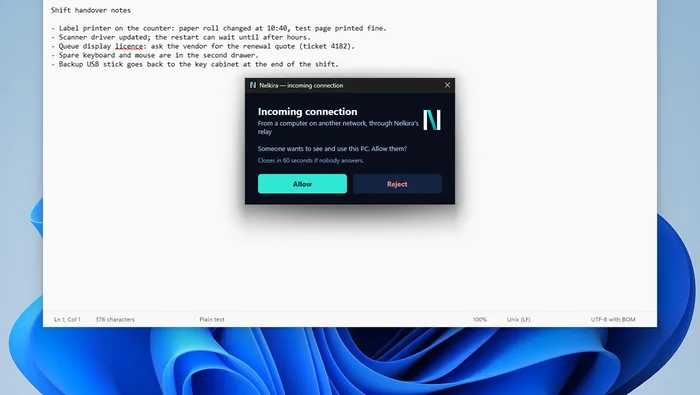
The request, as the PC being reached shows it. It closes in 60 seconds if nobody answers.Real Nelkira 0.6.0 (test build of the release source), the Allow prompt, 31 October 2026. Step 2The person there sees the request and chooses Allow.
With no password typed, the PC asks the person at it. No answer in 60 seconds means no session.
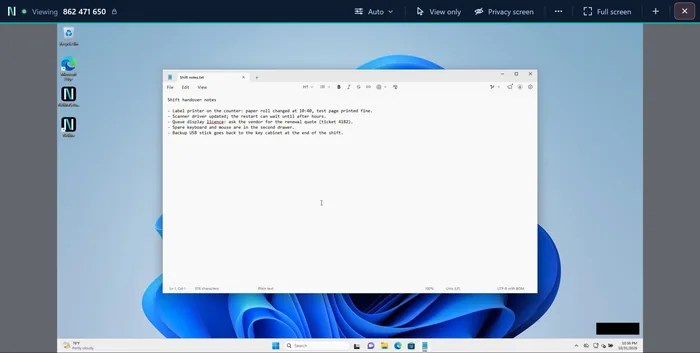
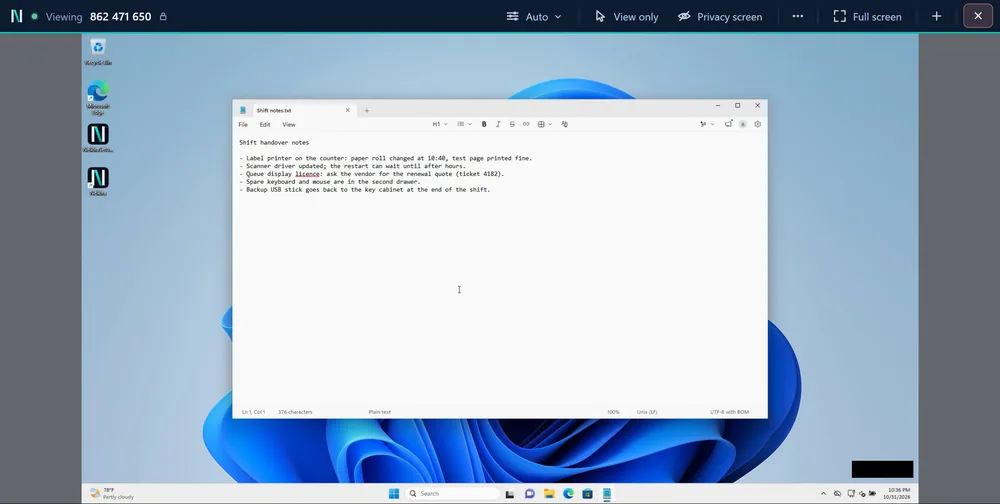
Working on their screen, in a window on yours. The black box is where their Screen shared sign sits; it is not sent.Real Nelkira 0.6.0 (test build of the release source), the session window, 31 October 2026. Step 3You work on their screen, in a window on yours.
Their desktop sits inside your window, with the session bar above it. Several PCs open as tabs.
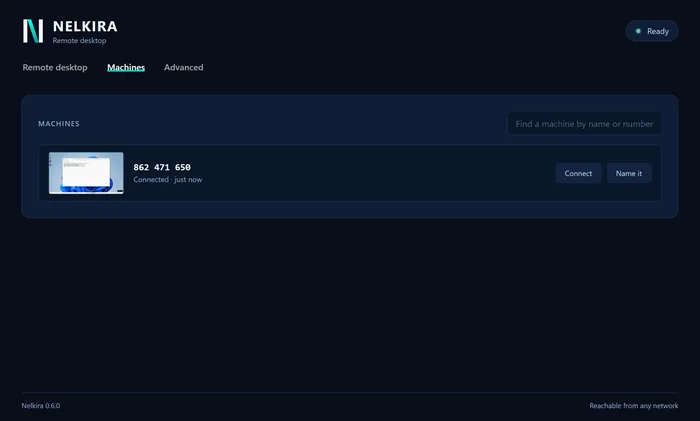
After End, on the helper's side: the PC in the Machines list. The record itself is a file on the PC that was reached (not pictured).Real Nelkira 0.6.0 (test build of the release source), the Machines tab, 31 October 2026. Step 4End the session. That PC keeps a record of it.
Who connected, how they got in, when it ended, which files moved. Never the content.
Said plainlyThe record is a plain file on that PC, not tamper-evident yet. What is not done yet.
What you can do in a session
View only
Look without touching their mouse or keyboard.
Privacy screen
Blank their monitor from people walking past.
Said plainly: it blocks their keyboard and mouse only with administrator rights, or on a PC set up for access when nobody is there.
Several screens
Switch between that PC’s monitors.
Copy and paste text and files (Windows)
In both directions. The record keeps names and sizes, never contents.
Ctrl+Alt+Del
On PCs set up for access when nobody is there.
Picture quality: Auto, or choose
Auto fits the line, or choose Smooth, Balanced or Sharp.
Said plainly: Auto runs on the PC you reach, so it needs an up-to-date Nelkira there.
Several PCs in tabs
Each PC you reach gets its own tab.
Reach a PC from your phone
Nelkira Go runs in the phone’s browser; nothing to install.
Not yet: chat, a file window.
Being helped?
What you’ll see, step by step →
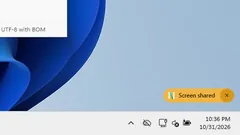
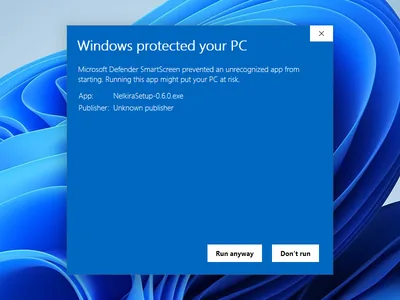
Real Nelkira 0.6.0 (test build of the release source), Windows SmartScreen on the test PC, 31 October 2026. If Windows says ‘Windows protected your PC’
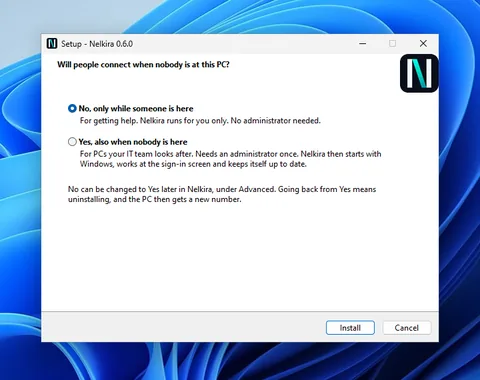
Real Nelkira 0.6.0 (test build of the release source), Setup, 31 October 2026. Setup asks one question
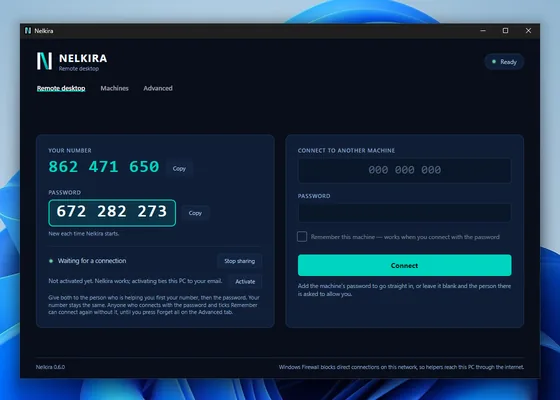
Real Nelkira 0.6.0 (test build of the release source), the main window, first open, 31 October 2026. Read out the number and password
Where your sessions go
A session tries the local network and a relay at the same time and keeps whichever answers first. A relay, on port 443, carries sealed bytes it holds no key for.
Said plainlyYou can run your own Nelkira relay. Sign-up, downloads and updates still come from nelkira.com. A session let in with Allow and no password typed is encrypted but not proof against an active attacker in the relay path. What is not done yet.
For hospital IT
Let your vendors in. Keep the record. →
Nothing is billed automatically, ever.
Free to use today, with no card and no trial that expires. Personal use stays free. How it stays that way →
Four questions
Is it free?
Yes. No card, no trial that expires, no seat count. Paid plans for organisations are planned for 2028; personal use stays free. Pricing.
What does the person at the PC see?
A request to allow you, unless you typed the password the PC shows or your device is remembered there. Then an amber ‘Screen shared’ sign while someone is connected, except on Windows’ lock, sign-in, Ctrl+Alt+Del and administrator-prompt screens. What they see.
Where does my session go?
Direct between the two PCs where the network allows; otherwise through a relay on port 443. A relay holds no key that would let it read a session. Security.
What is not done yet?
No certification is claimed, the installer is not code-signed, the record is not tamper-evident, and chat and a file window are not built. The full list.
Free remote support for Windows PCs
Under half a minute, and you see which picture mode your connection can carry.